> For the complete documentation index, see [llms.txt](https://docs.menanak47.com/llms.txt). Markdown versions of documentation pages are available by appending `.md` to page URLs; this page is available as [Markdown](https://docs.menanak47.com/qbcore/ak47_qb_inventory/templates/tooltip.md).
# Tooltip
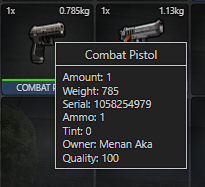
### Show value:
This variables will be visible in item Tooltip
```lua
Config.ShowValueFromItemInfo = {
plate = true,
owner = true,
ammo = true,
quality = true,
serial = true,
}
```
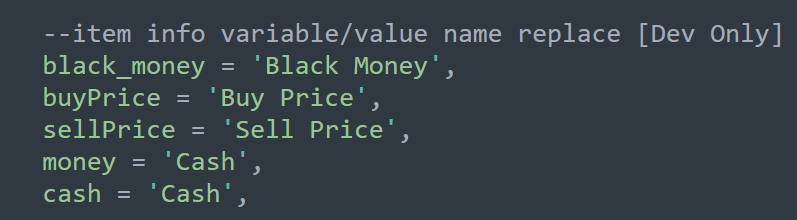
### Replace tooltip text:
For example, you have a key in item info named `black_money` and you want to relace this text in tooltip and show as `Black Money` you can do this by adding a translation in locales.