
Configuration
Add New Department Or Edit Existing
Step 1: Add Framework Job
Define the job in your framework:
- ESX: Insert into
jobs,job_grades, andaddon_accountdatabase tables. - QBCore: Add job definition to
qb-core/shared/jobs.lua. - Qbox: Add job definition to
qbx_core/shared/jobs.lua.
Step 2: Configure Department Name
Add the new department identifier to config.lua:

Step 3: Add Map Blip
Configure the station map blip coordinates and display settings in configs/blips.lua:

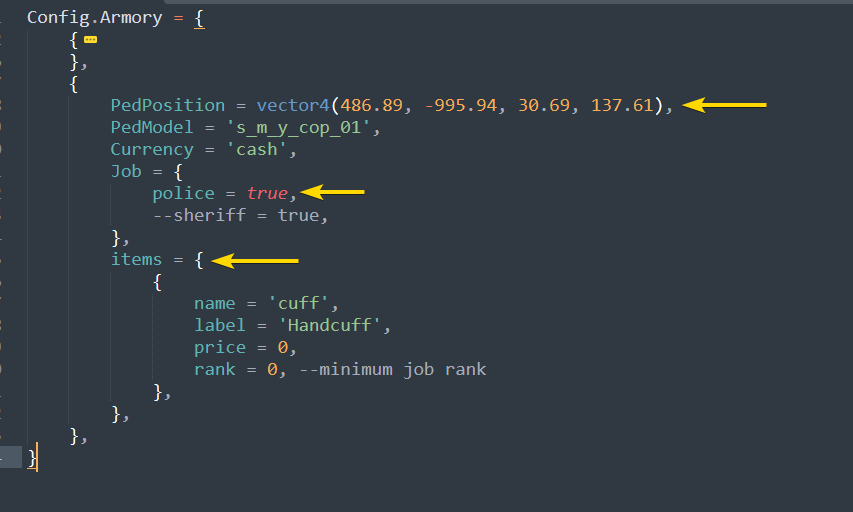
Step 4: Configure Armory
Define armory coordinates, access ranks, and item inventory in configs/armory.lua (the fourth vector value specifies heading):
Step 5: Configure Evidence Lab and Locker
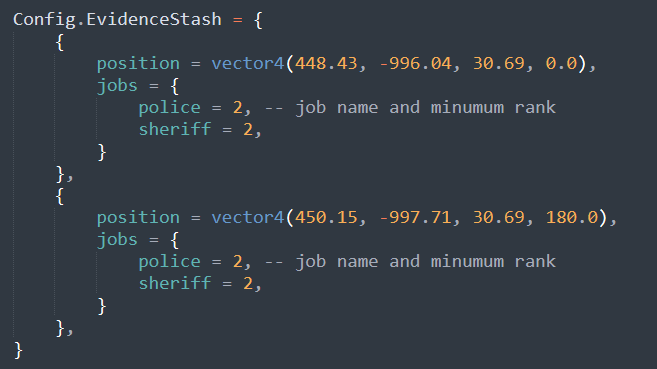
Set up forensic lab analysis stations and evidence stash storage in configs/evidence.lua:

Step 6: Configure Vehicle Garage
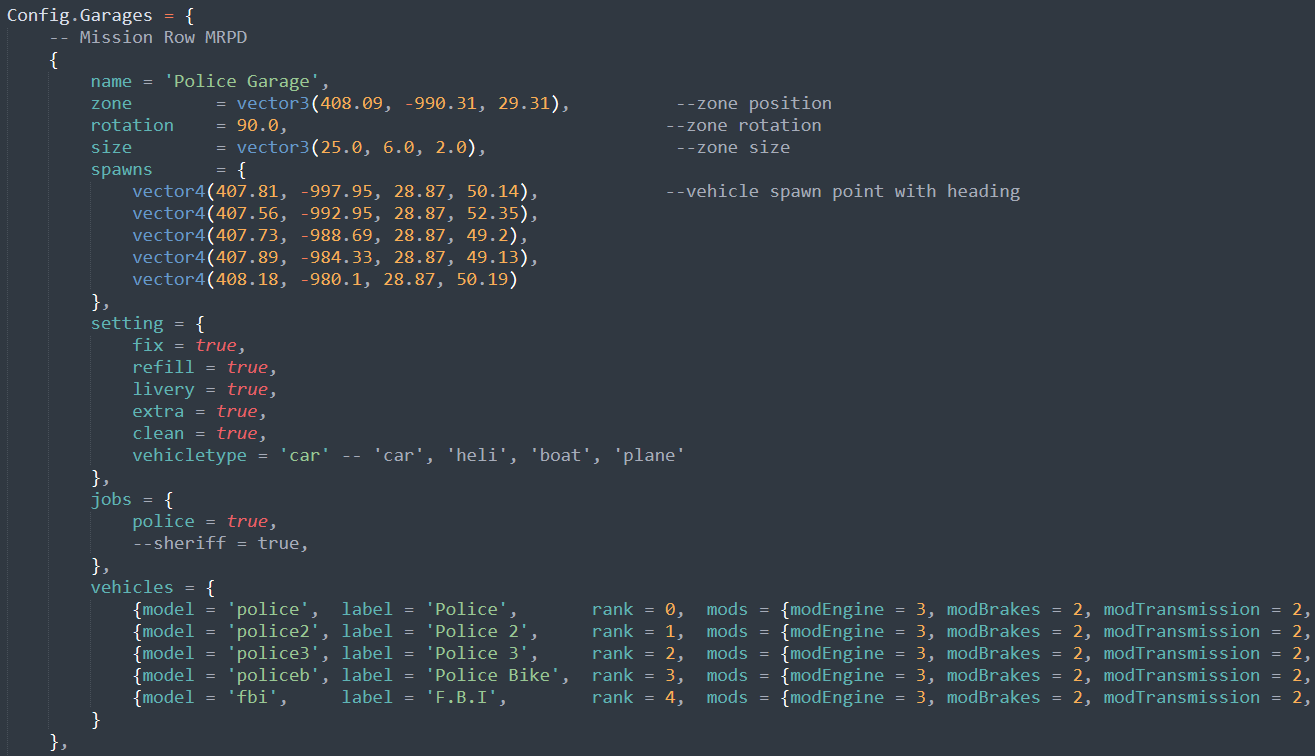
Add vehicle spawner locations and authorized vehicle models in configs/garage.lua:
Step 7: Configure Wardrobe
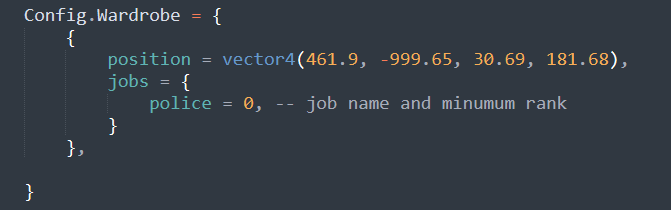
Set locker room wardrobe coordinates in configs/config.lua:
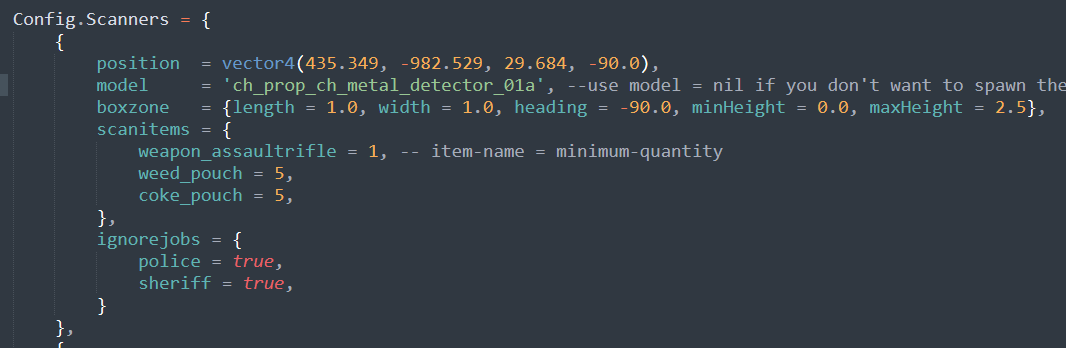
Step 8: Configure Scanner
Add body and weapon scanner gate locations in configs/scanner.lua:
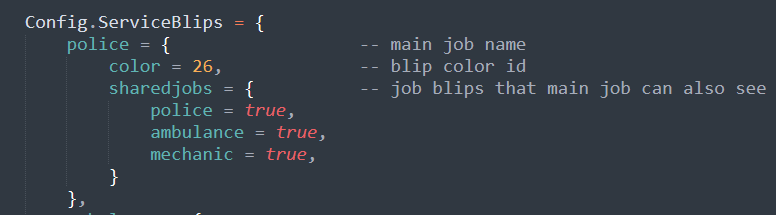
Step 9: Configure Service Blips
Register the department in configs/serviceblip.lua to show on-duty officer blips:
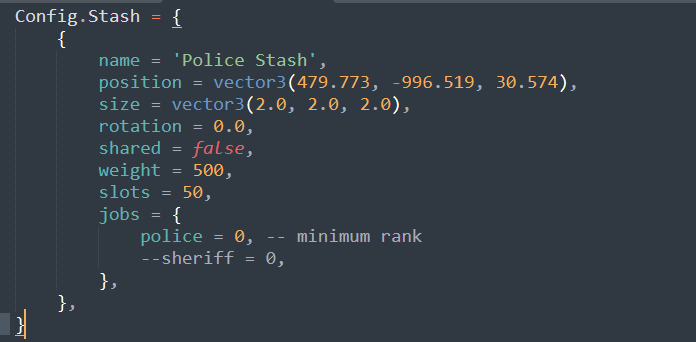
Step 10: Configure Stashes
Define department shared and personal storage lockers in configs/stash.lua:
On this page